


BILT: 3D Instructions
4.33.32K Reviews
App Specs
- Version
- 5.43.0
- Updated On
- License
- Free
- Downloads
- 1,000,000+
- Developer
- BILT Inc.
- Categories
- Lifestyle
- Platform
- Android, iOS
Screenshots

 Analysis by AppCompare
When a household project turns into a floor full of pieces, screws, and competing opinions about which diagram to follow, I want instructions everyone can understand without passing a paper booklet back and forth. BILT: 3D Instructions is made for that kind of moment: it guides assembly through interactive models rather than relying only on flat drawings. I find that especially useful when two people are working together, because one can handle the parts while the other checks the next step on screen.
Getting Started with BILT
So, you’ve decided to assemble something yourself, and the first step is downloading the BILT: 3D Instructions app. Available on both Android and iOS, the app is free to download and easy to set up. Once installed, you're greeted with a clean and user-friendly interface that doesn’t overwhelm you with options. Trust me, even the least tech-savvy among us can navigate this app without breaking a sweat.
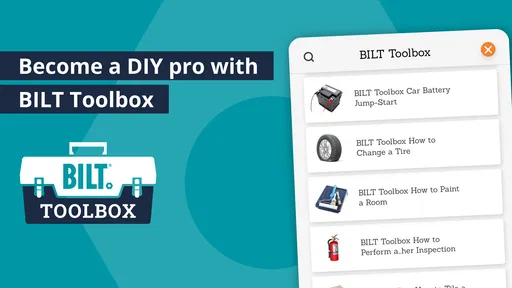
After opening the app, you can use the search function to find the product you need help with. The database is pretty extensive, covering a wide variety of items from furniture to electronics. It’s almost like having a personal assembly expert in your pocket!
The 3D Magic
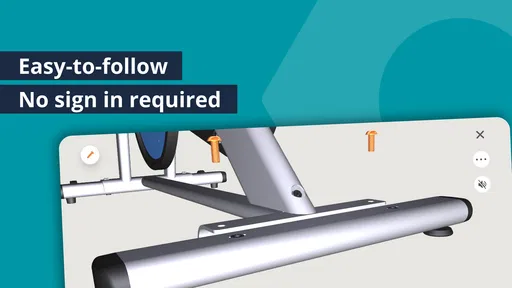
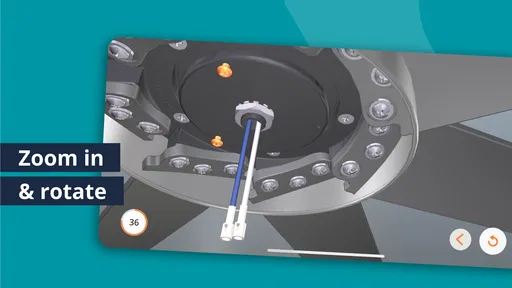
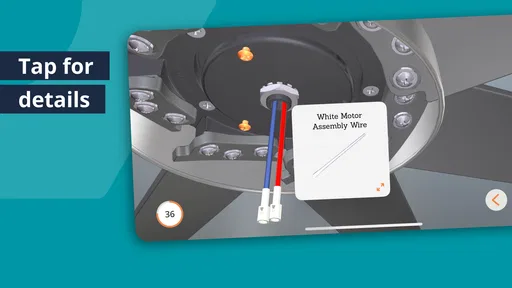
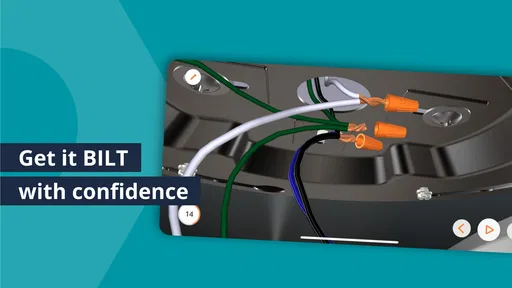
What sets BILT apart is its sleek 3D instructions. Unlike traditional manuals, these aren’t just static images. You can rotate, zoom in, and explore each step from every angle. It’s like having x-ray vision for your project. The app’s 3D models offer a clarity that’s often missing from paper instructions. Honestly, it's a whole new level of understanding.
Each step is narrated too, which is fantastic if you’re someone who appreciates audio guidance. You don’t just see the instructions; you hear them as well. This dual guidance can be super helpful when you’re knee-deep in assembling a particularly complex piece.
Intuitive Features
One of my favorite features is the ability to track your progress. BILT lets you tick off each step as you go, which is oddly satisfying and keeps you on track. No more losing your place or wondering if you missed something crucial.
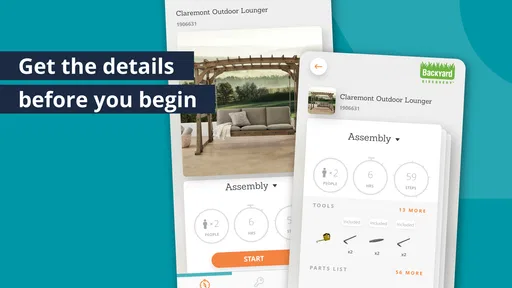
The app also provides estimated assembly times. This feature is a lifesaver for anyone trying to plan their day around building something new. Knowing how long a project might take can help you decide whether to dive in now or save it for a weekend when you have more time.
Worth Reading Before You Choose

EA SPORTS FC Mobile 26 Is a Bigger Football Game, but It Takes Time

Flipboard Shows What News Apps Must Do Beyond the Feed

Switching to Android Auto Means Rethinking Your Driving Routine

Google Calendar Makes a Crowded Week Easier to Manage

Ludo King Makes the Most of the Minutes Between Plans

Baby Panda World Brings Quick Play to Modern Phones, but Its Game Library Feels Busy
Sharing a screen without sharing a muddle
For a realistic household use, imagine opening a flat-pack desk after dinner. One person sorts the hardware while another follows the model and calls out the next action. Because the view can be rotated and enlarged, the helper can show which face or opening matters instead of trying to describe it from across the room. That can reduce the familiar “turn it the other way” loop before a fastener is tightened.
I’d still agree on who controls the screen. If both people tap ahead or change the view at once, it is easy to lose the step you were discussing. A simple routine works better: one person navigates, the other confirms the part and orientation, and both pause before any irreversible step. The progress tracker is useful here, but it should be treated as a reminder of where you are, not proof that the assembly is correct.
Setting up for a real project
Before starting, I’d search for the exact product rather than choosing a similar-looking item. Assembly details can differ between models, and a guide that seems close may lead you to the wrong hole or hardware. It is also worth checking the box and sorting its parts before beginning, then keeping the printed instructions nearby if they came with the product. The app is a helpful guide, not a substitute for checking that the physical item and guide match.
For a project with several stages, I’d use the progress marks as a stopping point. If you need to pause, note the last completed step and leave loose hardware grouped rather than scattered. When you come back, compare the actual assembly with the model before continuing. This is a small habit, but it is more reliable than assuming everyone remembers where the work stopped.
One practical trade-off is screen placement. A phone lying flat near the parts can be awkward to see, while holding it means you have one less hand for the job. I’d set it somewhere stable and visible before lifting large pieces, and avoid handling the device with dirty or greasy hands. For a long build, audio narration can also let you listen while keeping your eyes on the components, though I would still look closely at the model whenever orientation matters.
Coordination across a shared device
In a shared household, the app can serve as a common reference without turning the project into a complicated handoff. If someone else takes over midway, show them the current step and the physical state of the assembly together. A ticked step alone may not explain whether a part is only positioned or fully secured, so a quick visual check saves confusion.
It also helps to decide in advance whether the person building or the person reading will mark progress. With a single navigator, there is less chance of skipping ahead accidentally. If the project is being done over more than one sitting, leave a short note beside the parts about the last verified step; that simple household practice is more dependable than expecting the next person to infer the status from the screen.
Where the 3D view helps—and where paper still helps
Compared with a standard paper booklet, an interactive model is strongest when a part’s orientation is hard to infer from a single printed angle. Rotating the view gives me another way to understand which side faces inward or how pieces meet. Zooming can clarify a crowded stage, and narration offers another route through the instructions when reading every line is inconvenient.
That does not make paper manuals obsolete. A printed page can be easier to scan at a glance, stays visible without needing a device beside the work, and can be simpler when you already know the assembly pattern. For unusual repairs, a video or a specialist’s guidance may explain context that a sequence of assembly steps cannot. I see BILT as a more interactive option for supported products, not a universal answer to every home-repair question.
The key trade-off is that the app is only useful when its guide matches the item in front of you. Search helps locate instructions, but it cannot make a product-specific guide interchangeable. If the result does not clearly correspond to the model, I would stop and verify the product rather than improvising from a near match.
Who will get the most from it
I think BILT is a good fit for first-time assemblers, people who find perspective drawings difficult, and households where one person can follow directions while another handles the work. It can also suit someone who already assembles things regularly but wants a clearer reference for a product with unfamiliar parts. The app’s lifestyle focus makes sense in these everyday situations: putting furniture together, understanding a device’s assembly sequence, or planning a project before setting aside time.
It is less compelling if you mainly want a general DIY encyclopedia, troubleshooting advice for a broken appliance, or instructions for a product that is not represented in its search results. Experienced builders who are comfortable with paper diagrams may also prefer a printed guide for a straightforward job. I would not download it expecting every task around the home to have an interactive walkthrough; its value depends on finding the relevant product instructions.
For someone deciding whether to install it, the practical question is not whether 3D looks impressive but whether it solves a recurring problem. If you often misread orientation, lose your place, or need to explain a step to another person, the visual and progress tools are meaningful. If you rarely assemble products, keeping the app available for the occasional matching project may still be useful, but it is not essential for everyone.
Age, trust, and sensible supervision
The app is rated for Everyone, which makes its stated age context broad, but I would still treat assembly as an activity that needs adult judgement. Instructions can make a step easier to follow; they do not remove the risks of heavy pieces, tools, electrical work, or parts that require careful handling. For a child helping with a household project, I’d assign only age-appropriate tasks and have an adult manage the tools and any demanding lifting.
For shared devices, I would keep the arrangement simple and transparent: let the person doing the project use the screen, and avoid assuming that separate household profiles or family-management tools are part of the experience. The important boundary is practical rather than technical. Everyone involved should know which product is being assembled, who is advancing the instructions, and when to stop and check the physical work.
What the app’s scale tells me
BILT is a free lifestyle app from BILT Inc., with an average rating of 3.9 from around 8.4 thousand ratings and more than a million installs. That suggests it has reached a substantial audience, while the rating also reminds me that an instruction app will not feel equally useful for every product or every kind of builder. I’d judge it by whether its guide matches the item and whether the 3D presentation makes the next step clearer for you.
It first appeared on September 14, 2016, and version 5.40.1 is listed for devices running Android 8.0 or later. Its Everyone age rating is reassuring as a broad content classification, but it should not be confused with a claim that every assembly task is suitable for unsupervised children. The real-world project and the tools involved still determine what level of help is sensible.
Why It Stands Out
What really makes BILT shine is its commitment to user experience. The app is designed to make your life easier, whether you're assembling a new desk or figuring out how to install a ceiling fan. And it's not just about the instructions themselves. It's the seamless integration of features that makes using the app a pleasure.
Plus, it’s super convenient. Gone are the days of juggling your phone while trying to hold a piece in place. With BILT, you can place your phone nearby and glance at it as needed, thanks to the clear and concise step-by-step guidance.
Final Thoughts
In a world where paper manuals are often more confusing than helpful, BILT: 3D Instructions emerges as a hero for anyone who’s ever struggled with assembly. It’s intuitive, user-friendly, and incredibly helpful. Whether you’re a seasoned DIY pro or a complete novice, this app has something to offer.
So next time you find yourself knee-deep in an assembly project, give BILT a try. It might just become your new best friend in the world of DIY. Happy assembling!
Pros
- Intuitive 3D models enhance understanding.
- Step-by-step guidance minimizes mistakes.
- Supports voice commands for hands-free use.
- Wide range of supported products.
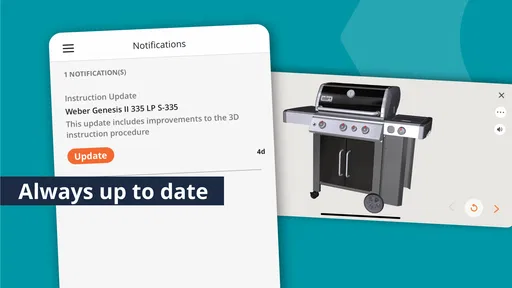
- Regular updates with new instructions.
Cons
- Limited offline functionality.
- Some instructions can be complex.
- Requires high storage space.
- Occasional app crashes reported.
- Not all brands are supported.
FAQs for BILT: 3D Instructions
What is BILT: 3D Instructions used for?
BILT: 3D Instructions is an app designed to provide users with interactive 3D assembly instructions for various products. It simplifies the assembly process by offering step-by-step guidance, ensuring users can easily follow along. This is particularly useful for complex items, reducing the likelihood of errors during assembly.
Is BILT: 3D Instructions available for both Android and iOS devices?
Yes, BILT: 3D Instructions is available for download on both Android and iOS devices. Users can find it on the Google Play Store for Android and the Apple App Store for iOS, ensuring broad accessibility for smartphone and tablet users.
Do I need an internet connection to use BILT: 3D Instructions?
While an internet connection is required to initially download the app and specific instructions, once downloaded, most instructions can be accessed offline. This feature is incredibly convenient for users assembling products in areas without reliable internet access.
How user-friendly is the BILT: 3D Instructions app?
The app is designed with user-friendliness in mind, featuring intuitive navigation and clear, interactive 3D models. Users can zoom, rotate, and interact with the instructions, making it easier to understand each step. This design helps even those with minimal technical skills to use the app effectively.
Are there any costs associated with using BILT: 3D Instructions?
BILT: 3D Instructions is free to download and use. However, availability of instructions may vary depending on the manufacturer and product. Some manufacturers might offer premium features or additional support through the app, which could incur costs.


